
Family portraits
Add breathing, a gentle blink, or a small smile while keeping the subject recognizable.
AI Old Photo Video Generator
Bring a still memory into motion without turning it into a gimmick. Start with a clear old photo, describe restrained movement, then compare models before exporting the best clip. Old photo to video · portrait motion · warm Inkfox prompts
Restoration to animation
Inkfox AI treats old-photo animation as a careful image-to-video workflow. The source photo stays at the center: face shape, clothing, paper grain, age marks, and lighting should remain recognizable. The prompt should keep the camera locked and add small human cues such as breathing, blinking, eye contact, a mild smile, or tiny head movement.
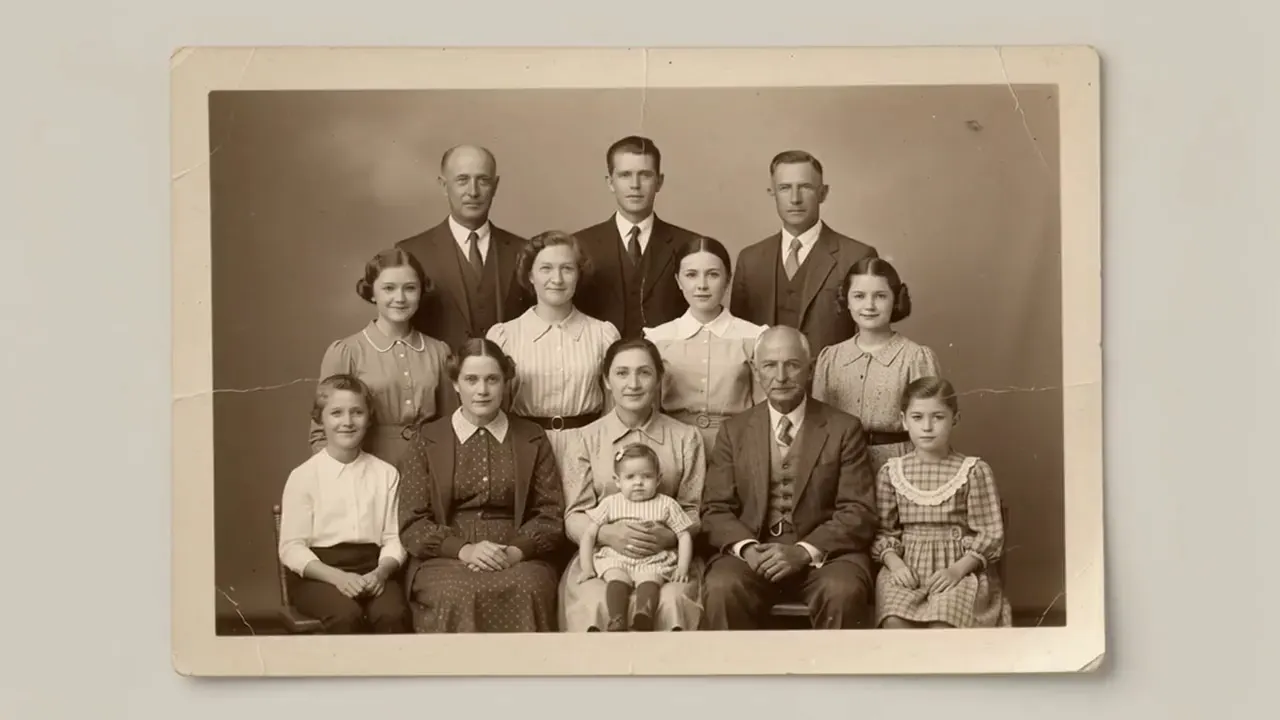
Restored old photo
Subtle animated memory
Workflow
Use the same Inkfox model workspace as the rest of the product: upload one image, write a precise prompt, compare candidates, and keep the result in your account history.
Start with a face or group photo where eyes, mouth, and key details are visible. Upscale first if the scan is too soft.
Ask for breathing, blinking, a small smile, eye contact, or tiny head movement while keeping the camera locked. Avoid lens movement, dancing, large pose changes, or identity-changing edits.
Run a short draft first, compare model behavior, then export the clip that keeps the face and memory most stable.
Use cases
Animate old family portraits, restored scans, and memory reels while keeping faces and photo texture recognizable.
Add breathing, a gentle blink, or a small smile while keeping the subject recognizable.
Use upscaling or cleanup first, then generate motion from the improved frame.
Create a quiet clip for family messages, memorial screens, or personal archives.
Settings guide
Use these choices to keep motion believable instead of asking the model to change the whole scene.
Keep identity, framing, and lighting stable first. Add one visible action, then regenerate only if the subject or background drifts.
Product role
Avoid: A legacy standalone video landing page with old brand framing.
Prompt style
Avoid: Overpromising restoration, viral hooks, or exaggerated movement.
Navigation
Avoid: A keyword cluster of thin old-photo subpages.
FAQ
Practical answers about old scans, restoration before animation, subtle motion prompts, and privacy for family photos.
Use a photo where the face, eyes, and mouth are visible. Small group photos can work, but large group photos with tiny faces are harder to keep stable.
If the scan is blurry, scratched across the face, or very low resolution, upscale or clean it first. A cleaner first frame usually produces steadier motion.
Ask for restrained subject movement: breathing, blinking, eye contact, a small smile, or tiny head motion. Keep the camera and crop locked, especially when preserving identity matters.
Uploads are used for generation and account history. Avoid uploading images you do not have rights to use, and delete generated assets from your account when you no longer need them.
Start with a prompt or reference, compare models, and save the best result to history. Upgrade when you need cleaner exports, stronger models, or more production volume.