
Is the AI anime generator free?
Yes. Upload a photo, pick a style, and turn it into anime with the free base model. Sign in to keep results in your history and remove the export watermark.
AI Anime Generator
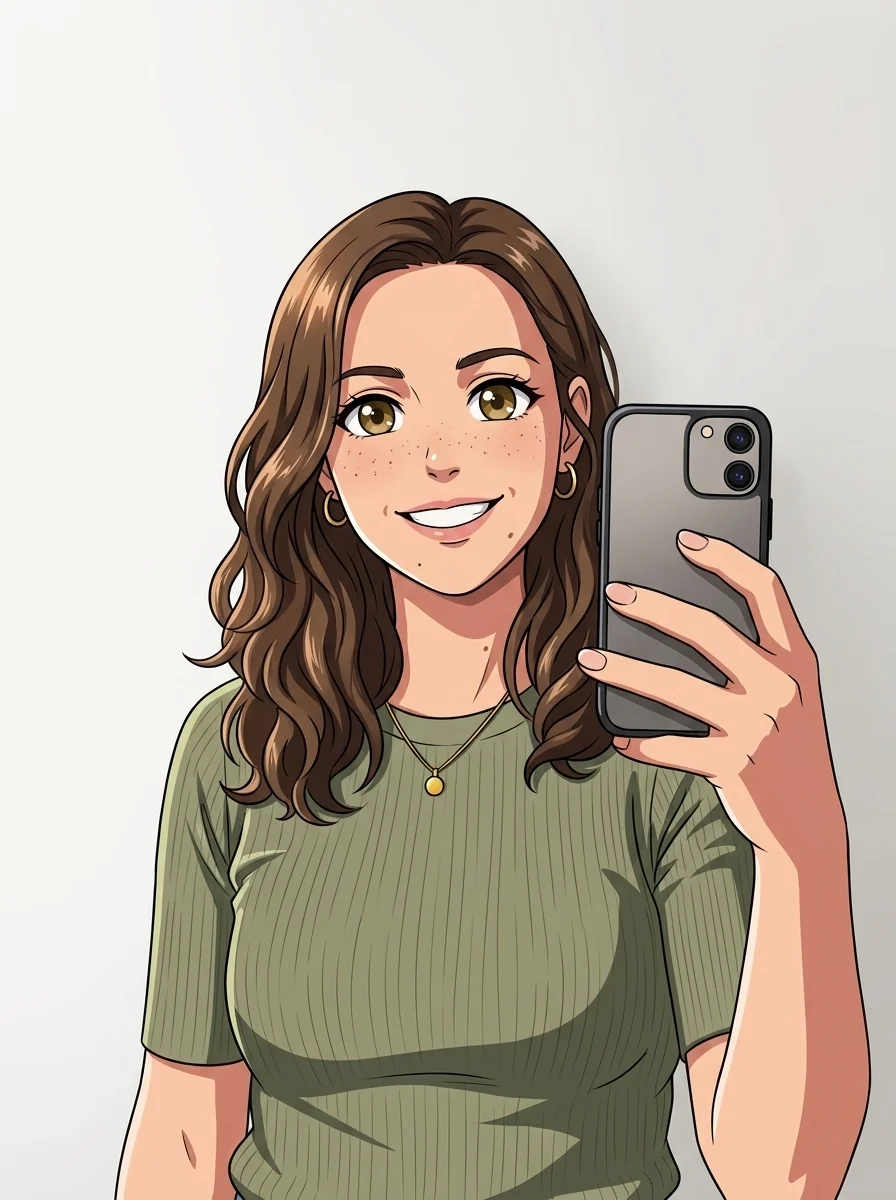
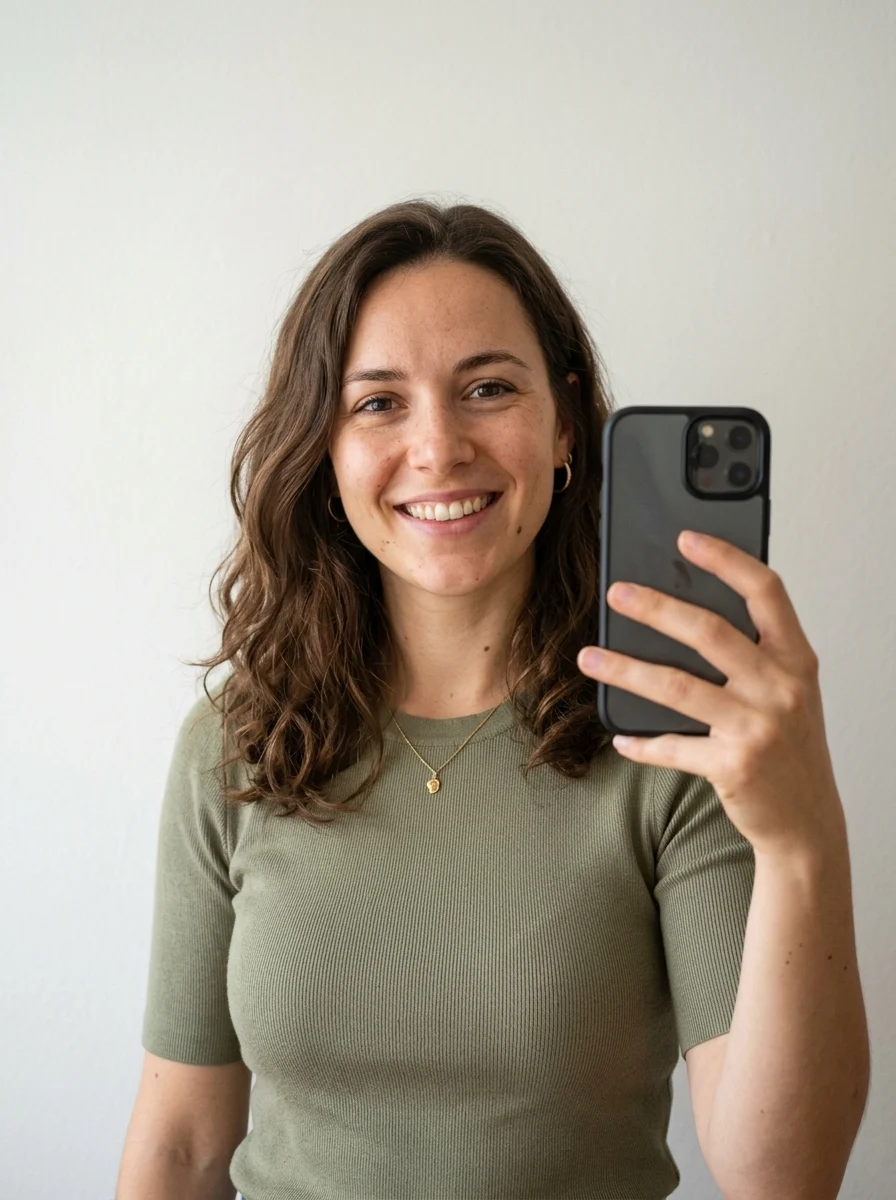
Upload one selfie and watch it become anime — modern, shonen, soft pastel, or 90s retro. Each style keeps your face, hair, pose, and framing while swapping the linework, shading, and palette, so you get a look you recognize, not a generic character.
Style matrix
This is the exact same person, run through all four anime presets. Notice what changes — and what doesn’t. The face, hair, and pose carry through; the linework, shading, and palette are what each style rewrites.
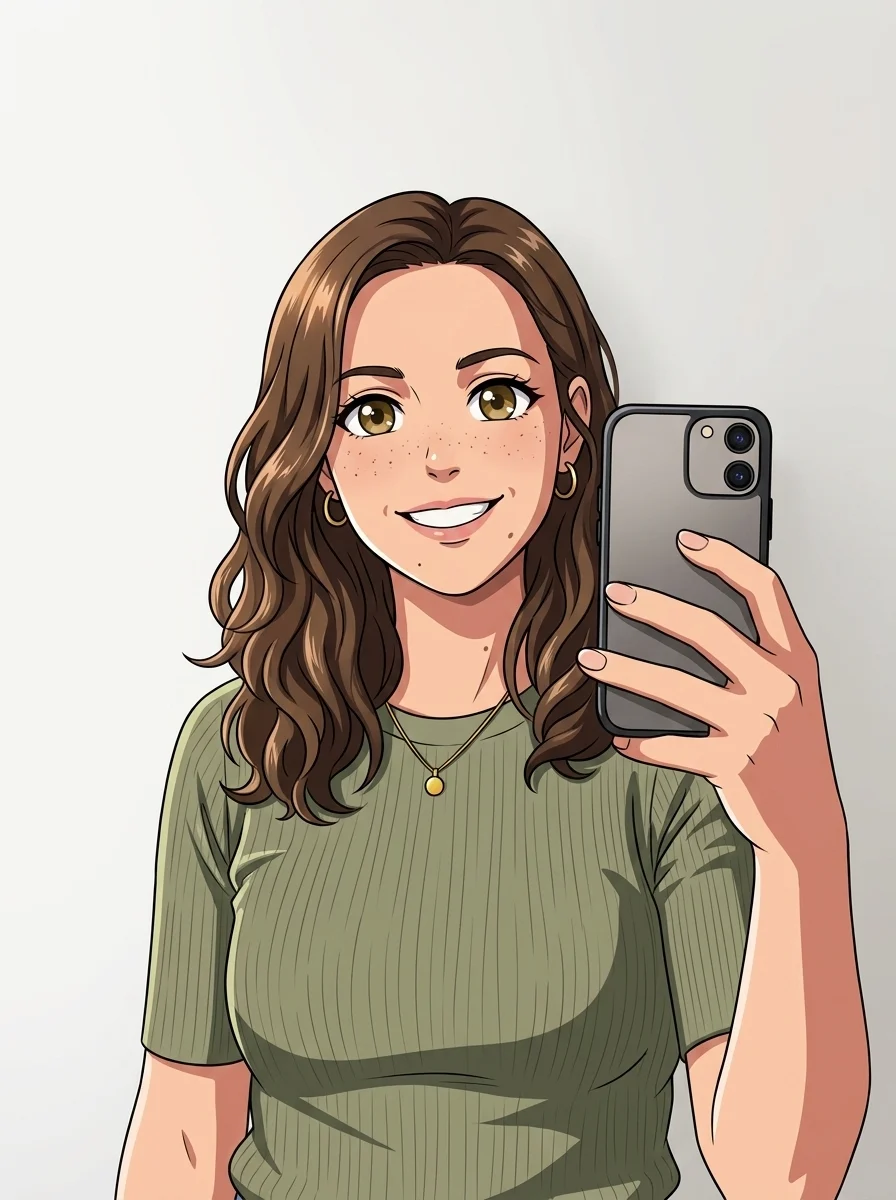 Modern anime
Crisp outlines, flat cel shading, big expressive eyes, saturated palette.
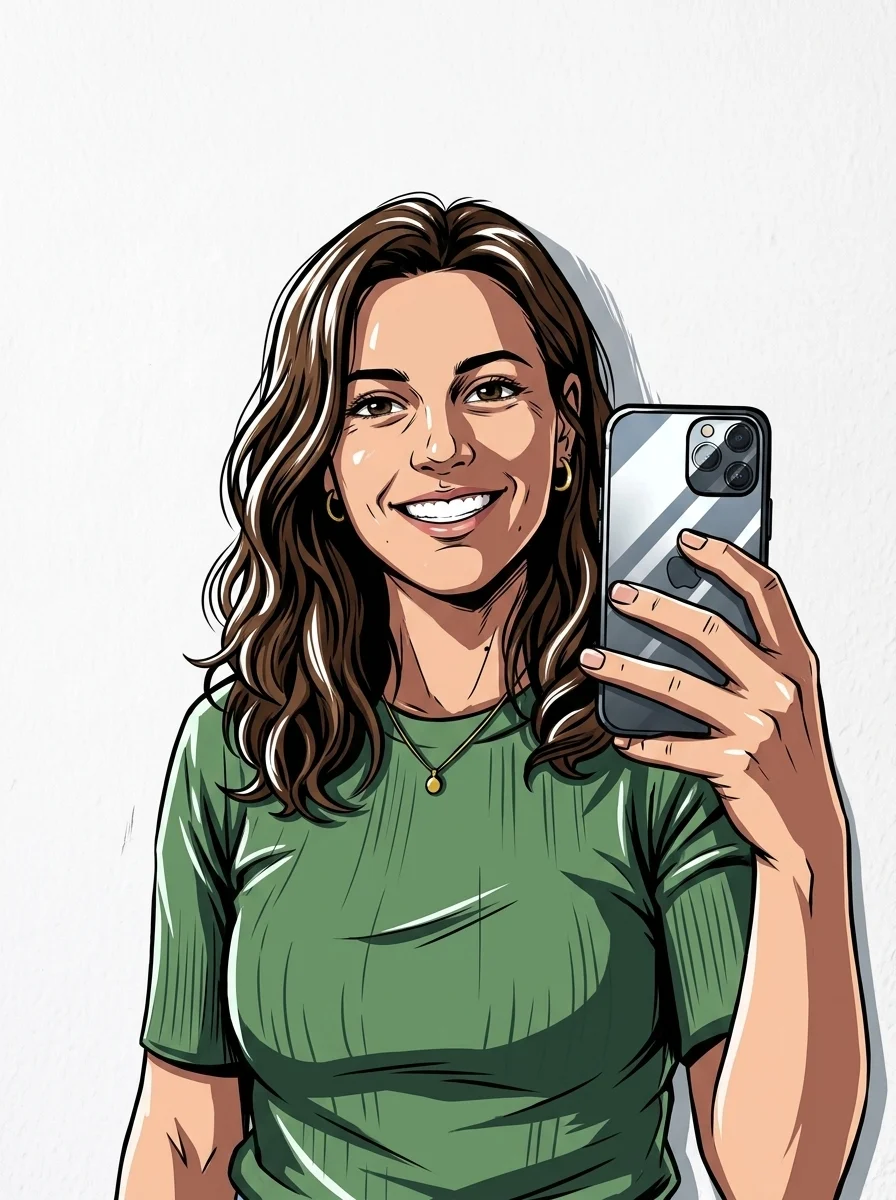 Shonen
Heavier ink, dynamic angles, hard cel shadows and strong rim highlights.
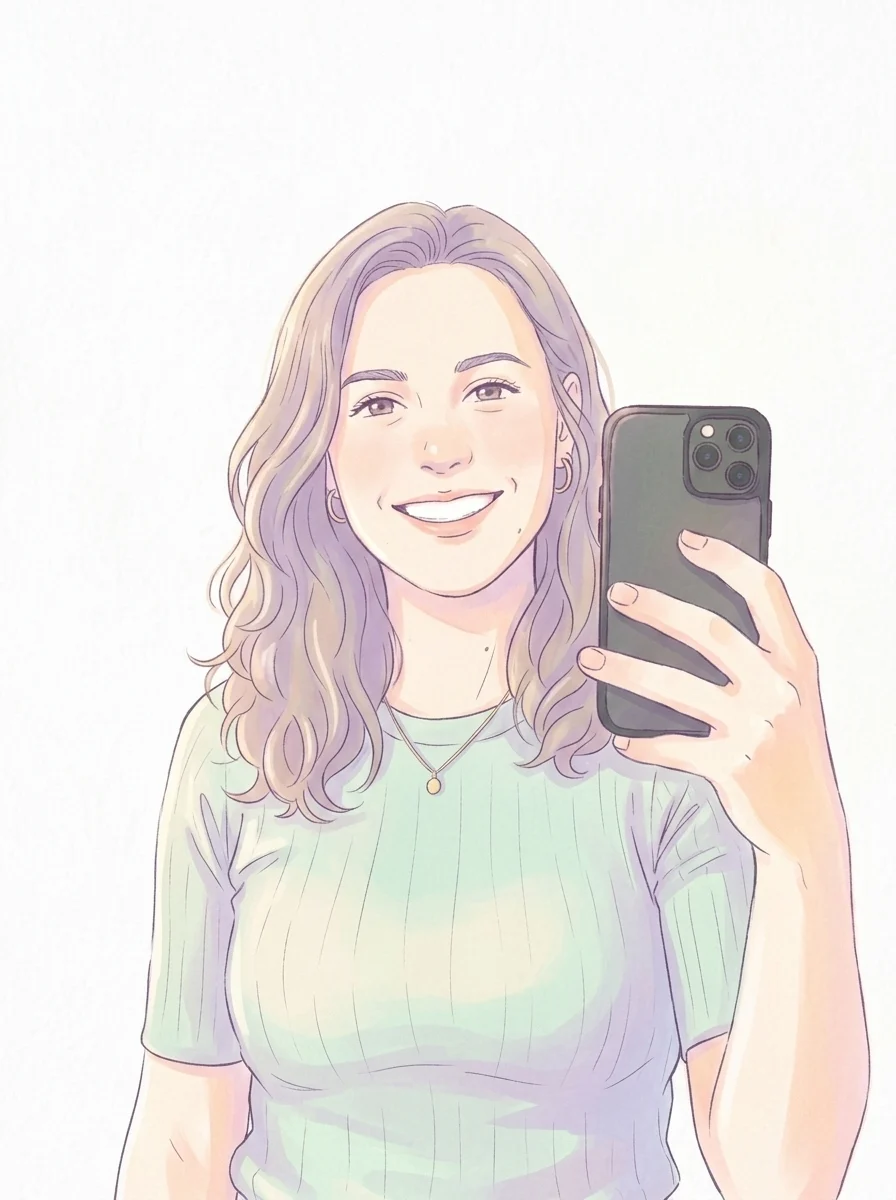 Soft pastel
Thin lines, airy watercolor gradients, muted pinks and blues, soft glow.
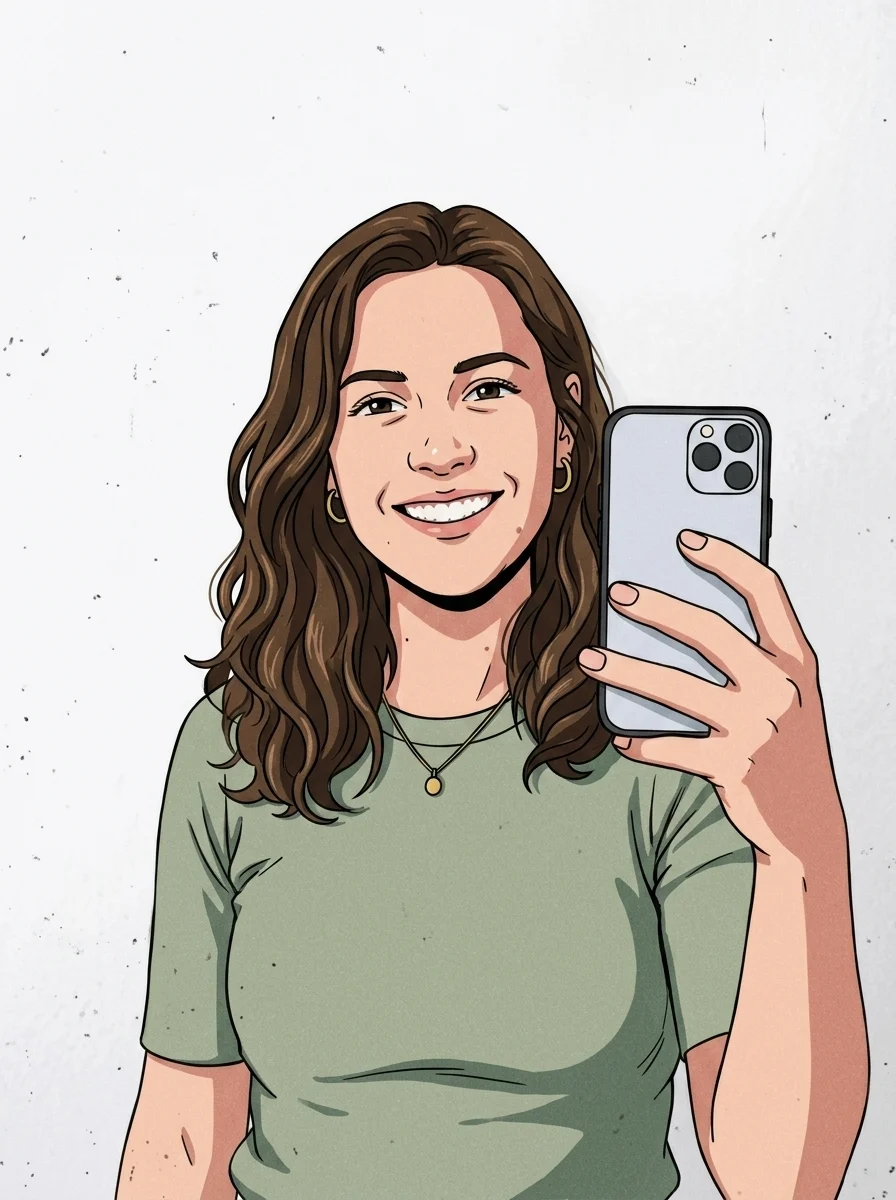 90s retro
Hand-painted cel feel, slightly muted palette, visible grain and scanlines.
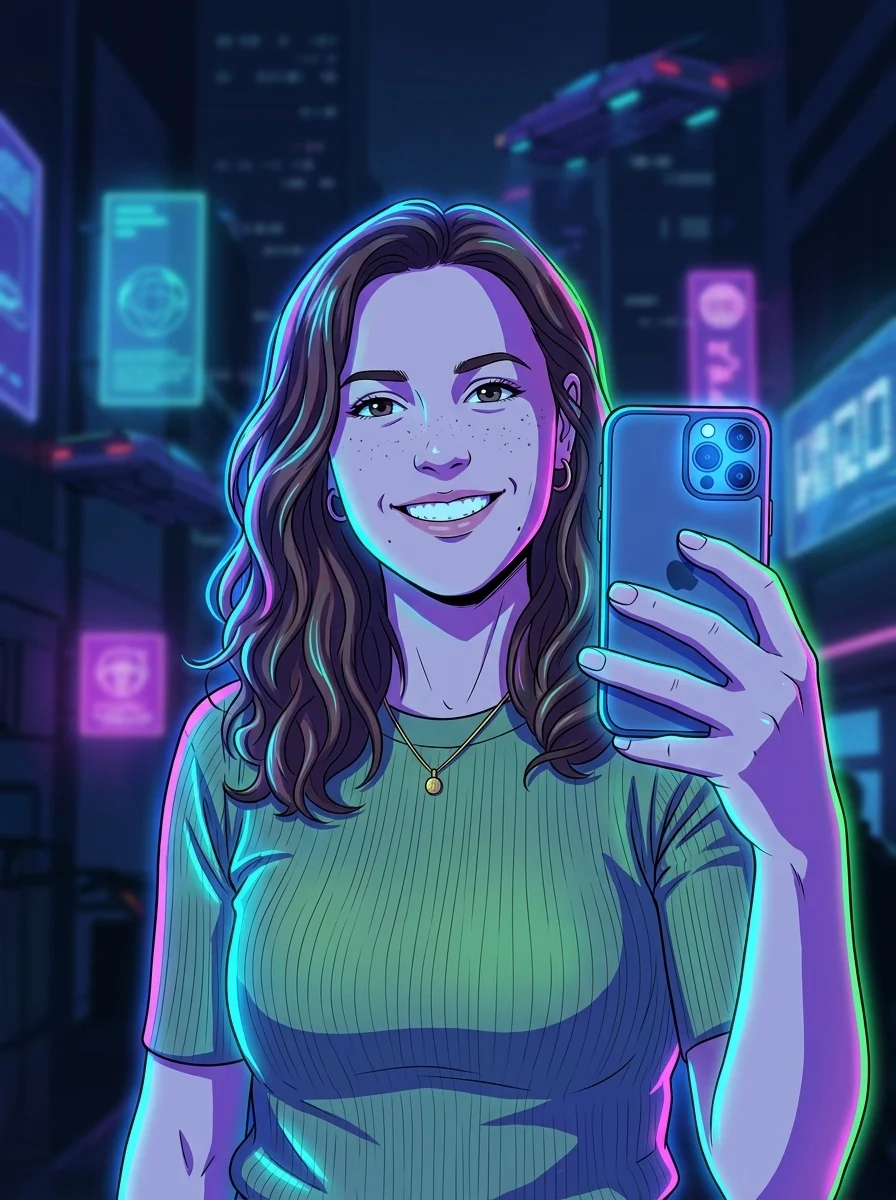 Cyberpunk
Glowing neon edges, electric blues and magentas, crisp high-contrast linework.
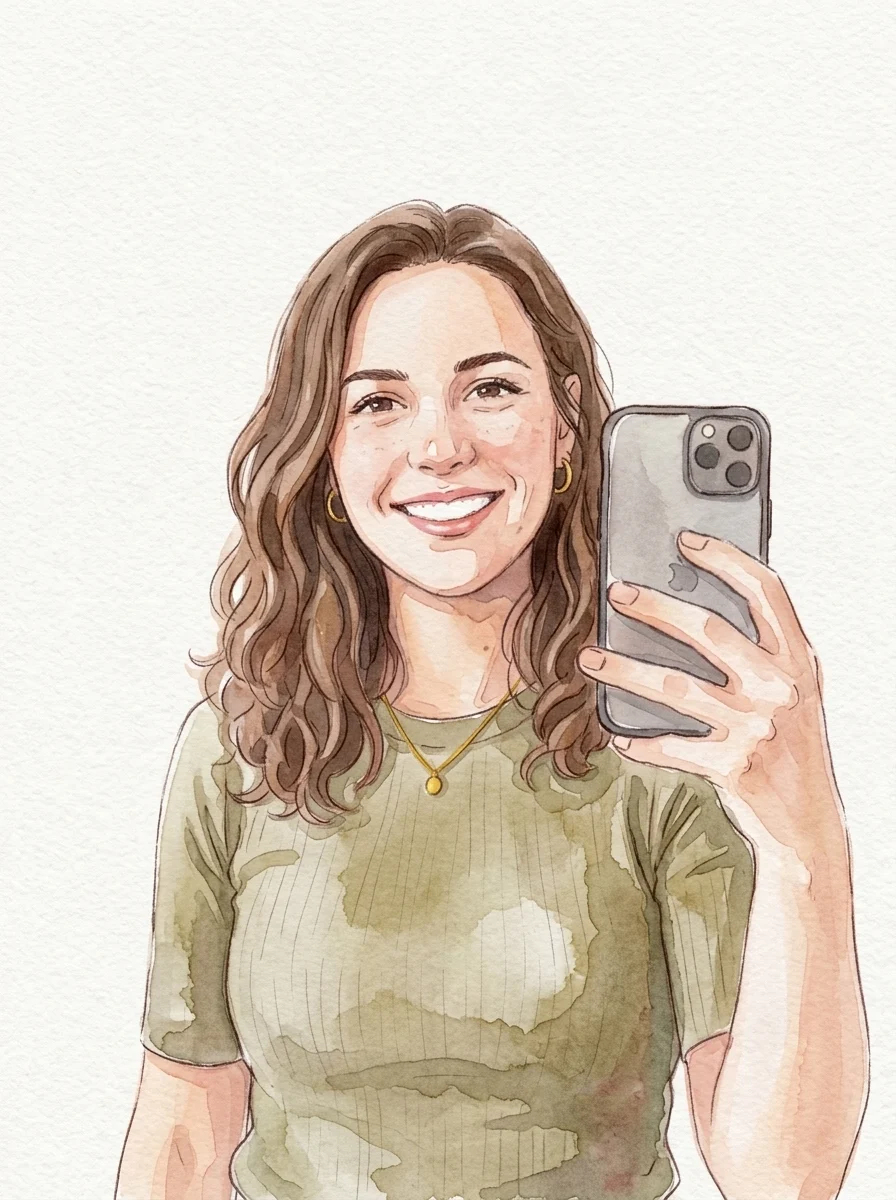 Watercolor
Visible watercolor bleeds, gentle linework, soft layered color and grain.
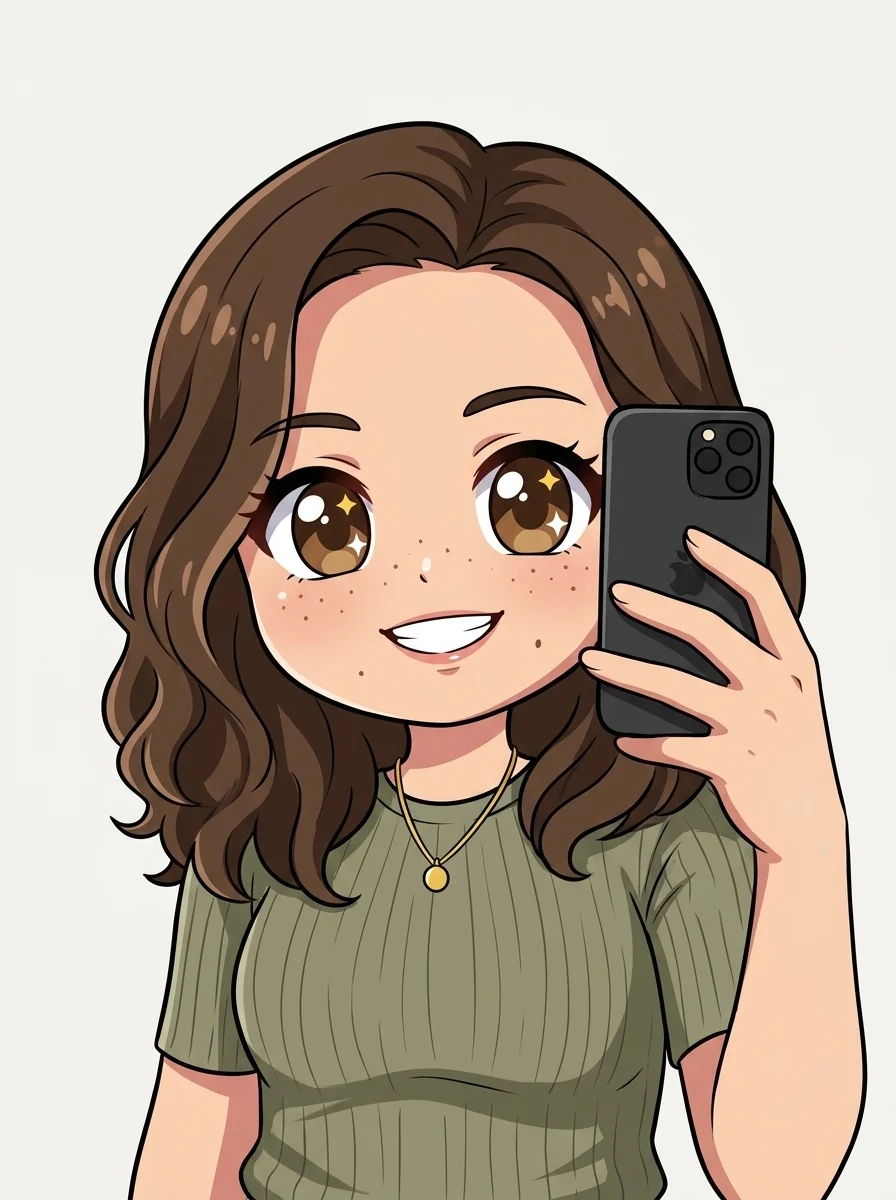 Chibi
ChibiOversized head, tiny body, large sparkling eyes, simple clean cel shading.
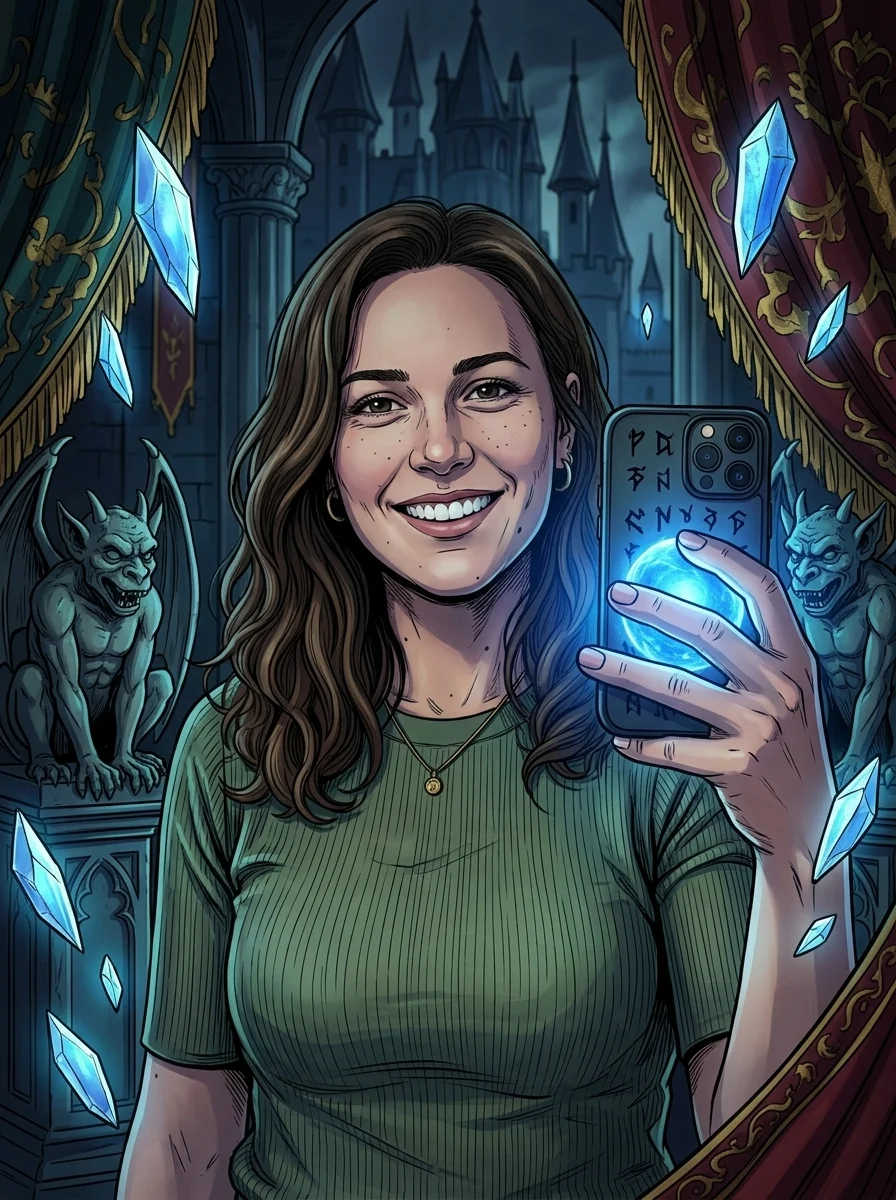 Dark fantasy
Dramatic low-key light, deep shadows, detailed linework, cinematic palette.
Style guide
Not sure which preset fits? Here’s when to reach for each one — by vibe, not just by name.
Modern anime
Clean linework, cel shading, vibrant colors.
Best for: Everyday avatars and a polished, current-season look that reads clearly at small sizes.
Shonen
Bold action lines and dramatic highlights.
Best for: High-energy hero shots, gaming banners, and profiles that want attitude and contrast.
Soft pastel
Gentle lines and light watercolor shading.
Best for: Cozy, romantic, or slice-of-life moodboards and gentle gift portraits.
90s retro
Classic cel look with film grain.
Best for: Nostalgic, retro-anime aesthetics and vintage-styled posts or covers.
Cyberpunk
Neon rim light and a futuristic palette.
Best for: Bold gaming avatars, streaming overlays, and night-city sci-fi profiles.
Watercolor
Painterly washes and soft paper texture.
Best for: Dreamy, artistic portraits and gentle illustrated gifts or prints.
Chibi
Cute super-deformed proportions and big eyes.
Best for: Playful stickers, mascots, and adorable profile icons that pop small.
Dark fantasy
Moody cinematic lighting and rich shadows.
Best for: Atmospheric hero art, RPG-style portraits, and dramatic cover images.
Make it yours
One good selfie becomes a whole identity kit. Because the model keeps your face and hair instead of inventing a random character, the result still reads as you — just in anime.
Profiles & icons. Crop the export to a square for Discord, X, or community avatars that stay crisp at small sizes.
Banners & posts. Pair shonen or 90s retro looks for channel headers, thumbnails, and feed art with personality.
Gifts & keepsakes. Soft pastel turns a photo of a friend or partner into a warm, shareable portrait.
Original art, your likeness. Every look is generated from your upload — no copyrighted characters or franchise designs, so the avatar is yours to use.
FAQ
Practical answers about likeness, photos, avatars, originality, and rights.
Yes. Upload a photo, pick a style, and turn it into anime with the free base model. Sign in to keep results in your history and remove the export watermark.
Every style prompt is built to preserve your identity, hairstyle, pose, and framing while redrawing the photo as anime. If a result drifts — a different nose, hair length, or face shape — regenerate or switch styles. Modern and soft pastel tend to hold facial structure most faithfully; shonen pushes contrast hardest and can stylize features more.
A clear, well-lit, front-facing portrait where your face and hair are fully visible. Avoid heavy backlighting, sunglasses, hats that hide the hairline, motion blur, or busy backgrounds. Shoulders-up framing restyles more reliably than full-body shots, because the model has more facial detail to work from.
Modern anime is the safe, clean default for avatars. Pick shonen for bold, high-contrast hero energy; soft pastel for cozy, romantic, slice-of-life moods; and 90s retro for nostalgic grain and muted cel colors. The same upload works across all four, so generate a couple and compare side by side.
No — the tool creates original anime-style art from your own photo. It is not built to reproduce protected characters, franchise designs, or copyrighted costumes, and you should not prompt it to imitate them. Keep your likeness, change the art style, and the result stays yours.
Pick a portrait where your face sits in the upper-middle of the frame, then crop the export to a 1:1 square centered on the eyes and hairline. Modern and shonen styles keep strong edges that stay sharp when scaled down to a small profile picture or community icon.
Treat outputs as drafts and make sure you own or have rights to the uploaded photo. Avoid deliberately imitating a living artist’s signature style or any protected IP for paid use. For personal avatars, posts, and gifts you have wide latitude; for commercial products, review the rights to your source image first.
Generation is probabilistic, so each run varies slightly in shading, hair detail, and expression. That is normal — regenerate two or three times and keep the take that best matches your original. Staying on one style instead of switching mid-batch gives the most consistent set.
It works best with a single, clearly visible face. Group photos can lose likeness because facial detail per person is smaller, and styles may blend features. For couples or friends, crop to one subject at a time and generate separately for the cleanest anime conversion.
Start with a prompt or reference, compare models, and save the best result to history. Upgrade when you need cleaner exports, stronger models, or more production volume.